Maintaining a close eye on the foreign exchange markets and its fluctuating rates is important in planning production costs and sales revenue.
The currency option within Xelacore allows the business to define any forward contract rates they may have.
Sales Quotes can be converted into another currency if required by your customer and invoices then created in this currency once a Sales Order and Production Order has been completed.
- Access to the Settings module is strictly limited to Administrator level users.
- Amending the currency rate ONLY affects the "transactions" from the date of the change.
- Transactions created prior to this date will retain the original rate.
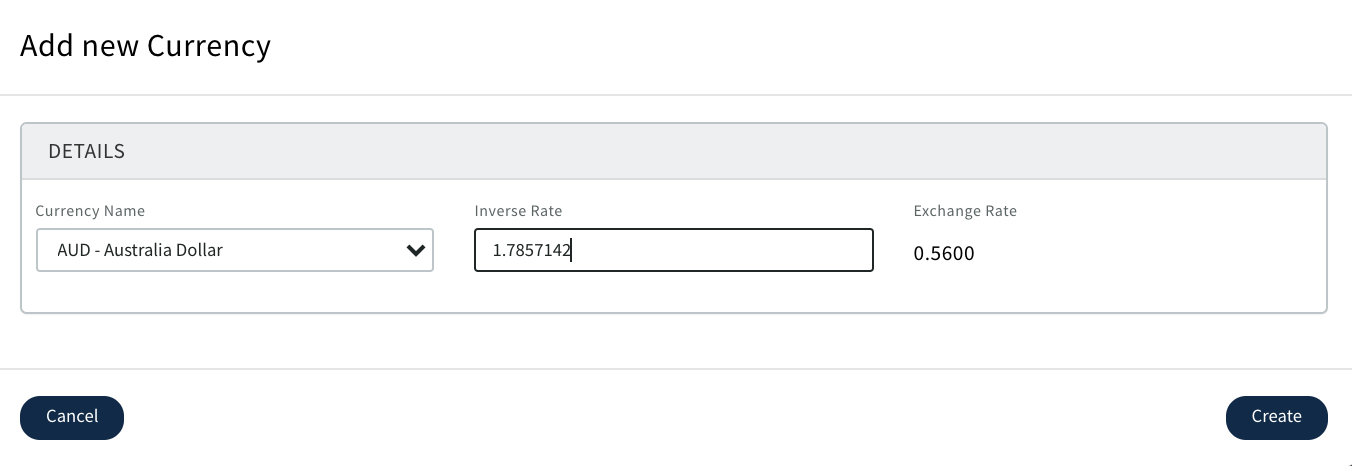
- Currencies MUST be added using their INVERSE exchange rate.
BE AWARE; When the rates are changed only future costings will apply the new conversion rates
From the "Settings" module, select the "Financial" Tab.
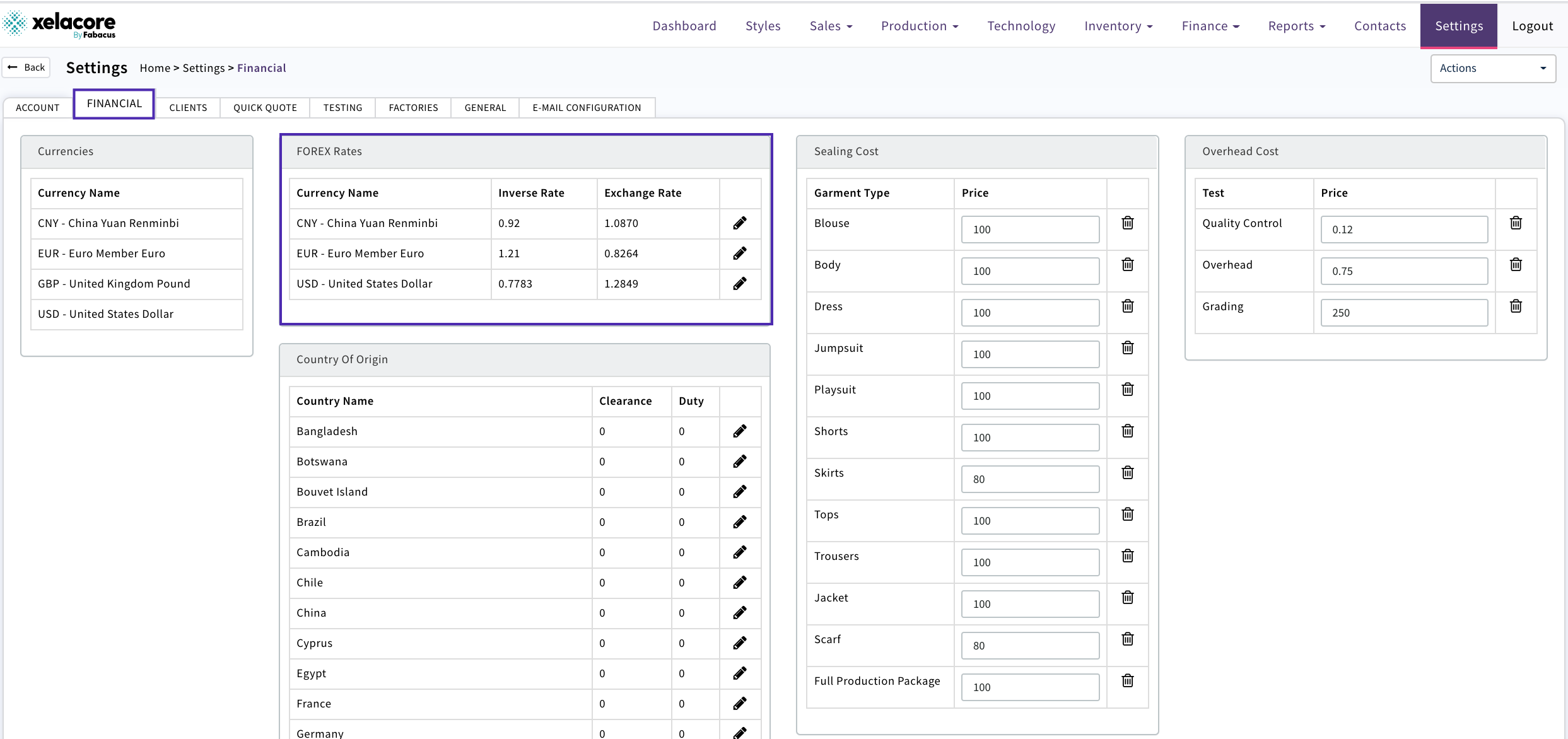
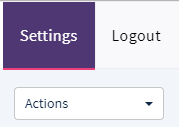
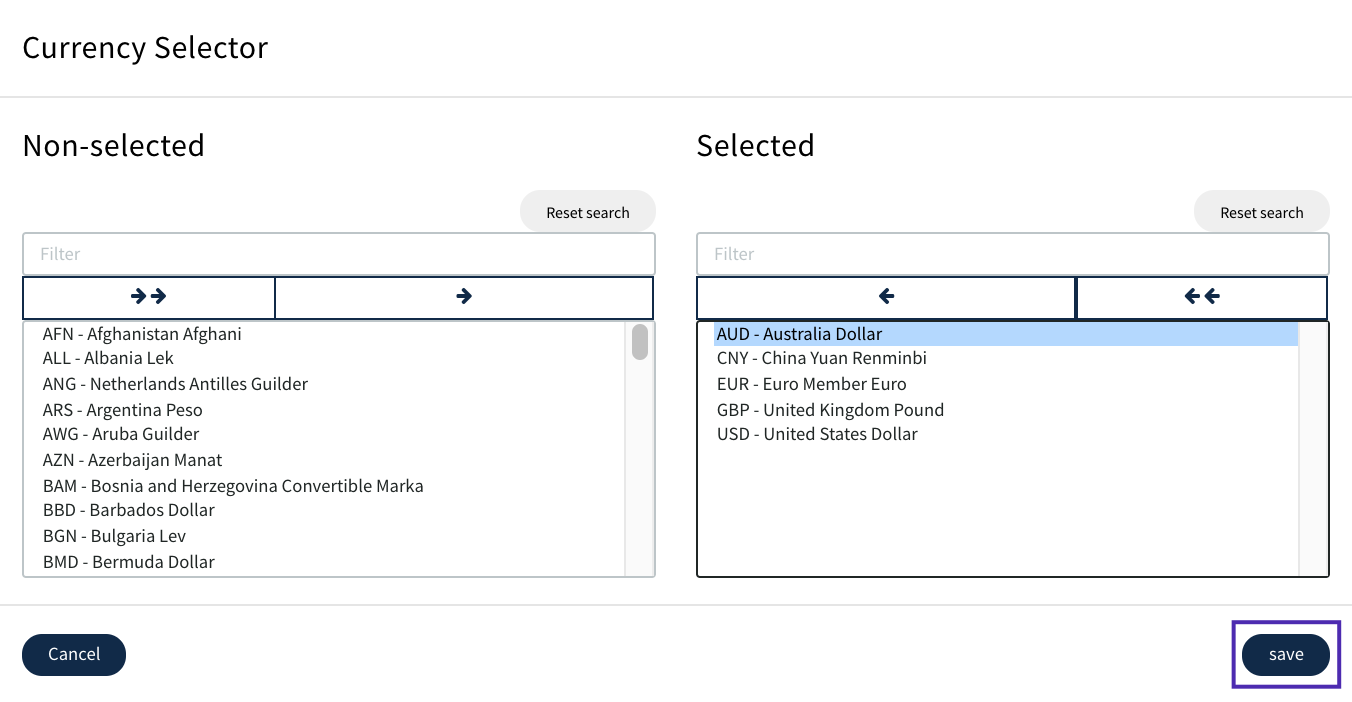
Select the "Actions" button and choose "Set Currencies"
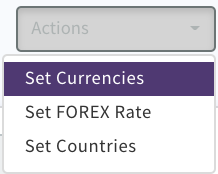
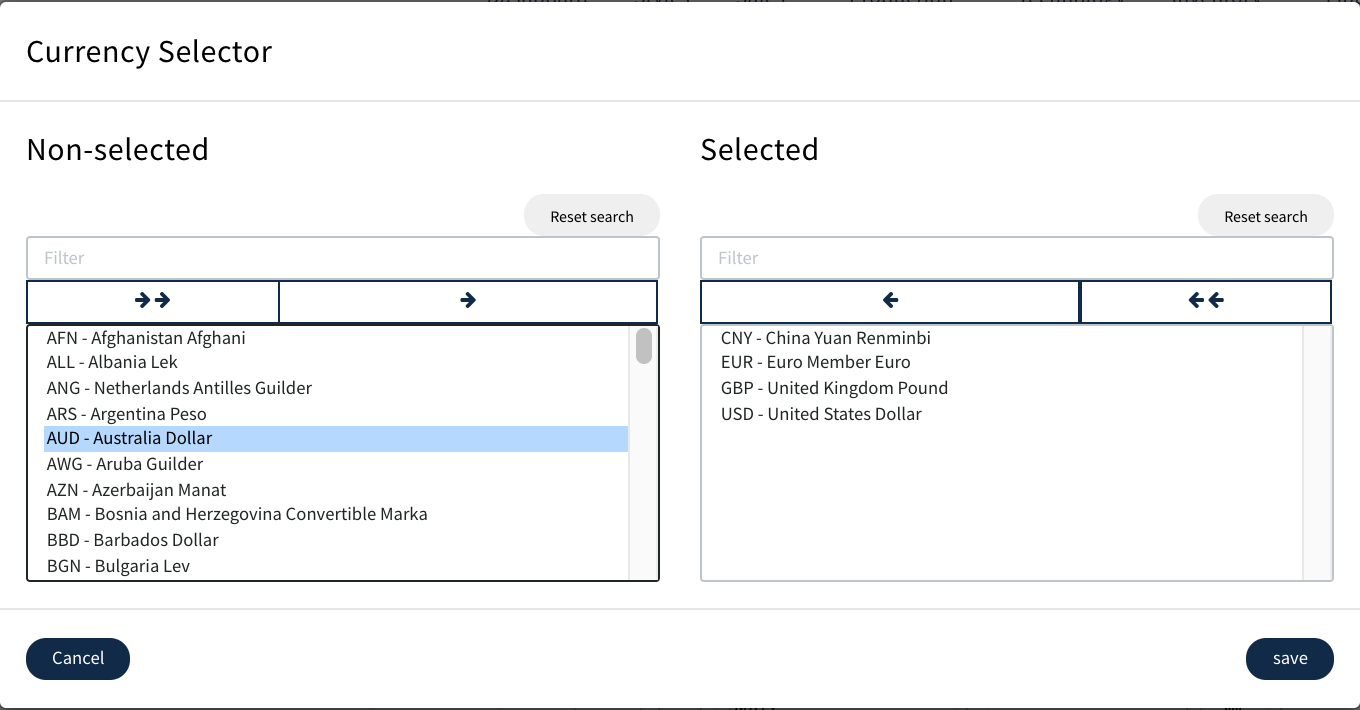
Select the currency required use the arrow to move to the selected box then 'SAVE'
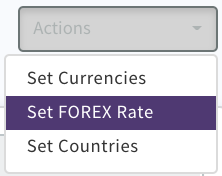
To Set the Forex Rate select the below from Actions
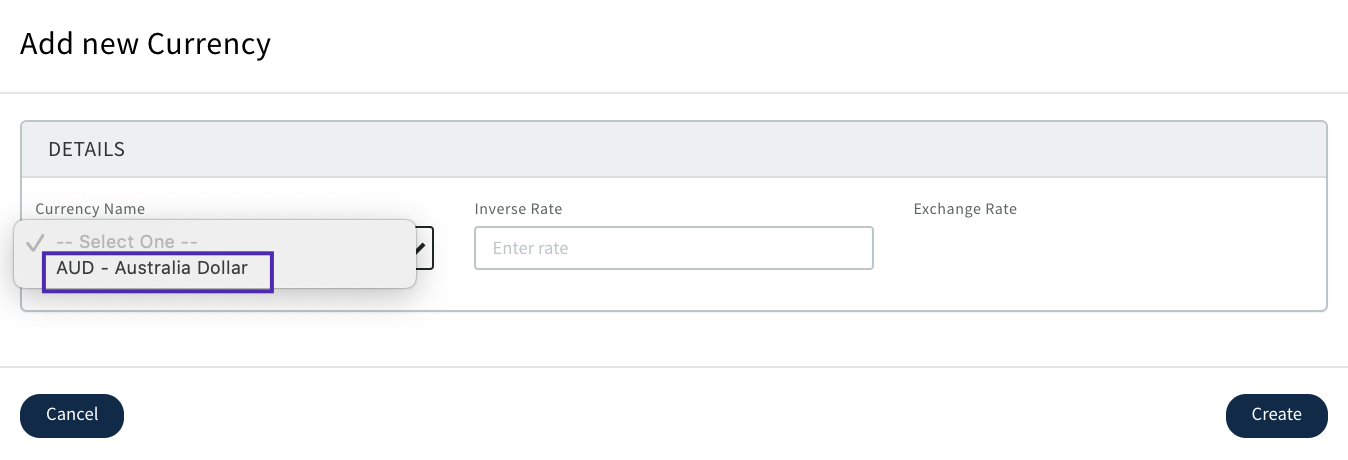
Select the currency you wish to set from the drop down
Set the inverse rate and 'Create'(the exchange rate will display automatically)
Currency conversion rates can be maintained by using the edit icon when required, but remember these will only be used on any new or refreshed costings or purchase orders.
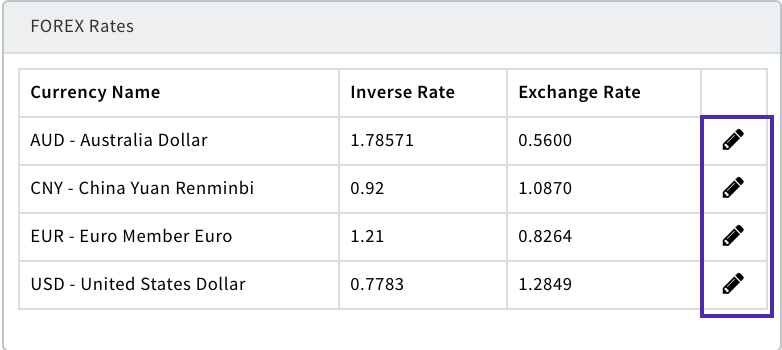
Currency conversion calculations are accessed by the sales team when preparing costing sheets, and the Inventory department when creating component purchase orders.
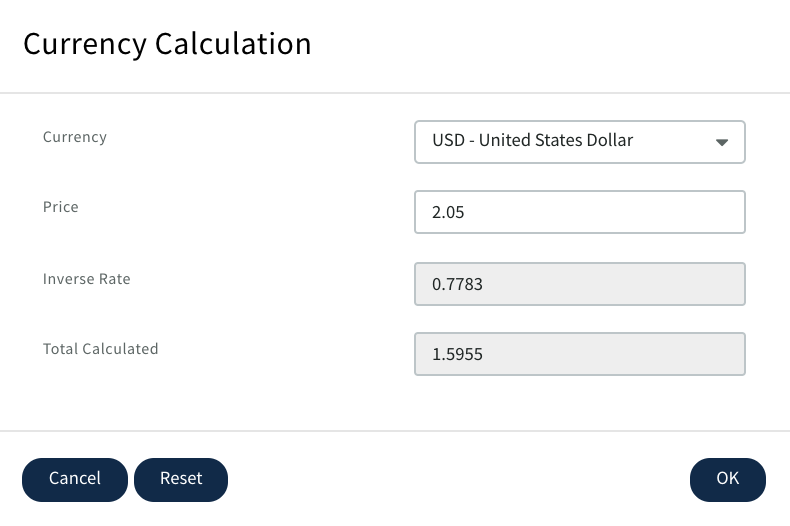
If a component is bought in a currency other than GBP it will display as below in the costing pages

Use the currency button to convert the price to GBP then CLICK OK
0 Comments