You cannot generate a purchase order for graded components unless the relevant detail has been completed in Technology /Grading
Changing the component on the costing sheet will remove any previously entered graded component attributes and re-set the size matrix.
The graded component matrix automatically calculates the exact quantities required for each size and prepares the purchase order accordingly.
The garment technology "Grading" tab incorporates several key functions.
- Pattern Grading
- Component grading
Pattern Grading
The pattern grading area records, and displays on the critical path, key milestone events in the pre-production process.
- Graded Spec received - define the receipt date of the client graded specification.
- Graded - The date that the pattern grade was completed
- Patterns Received - The receiving date of card or computer patterns if grading is outsourced
- Costing Received - The final consumption values for all components have been received.
- Date sent - Information has been passed to the relevant factory.
- Grade Location - Is the grading to be done "in House" or outsourced.
- Grading Company - Indicate the contact details
- Grade type - Request Card or computer patterns
- Notes - graders specific notes for reference only
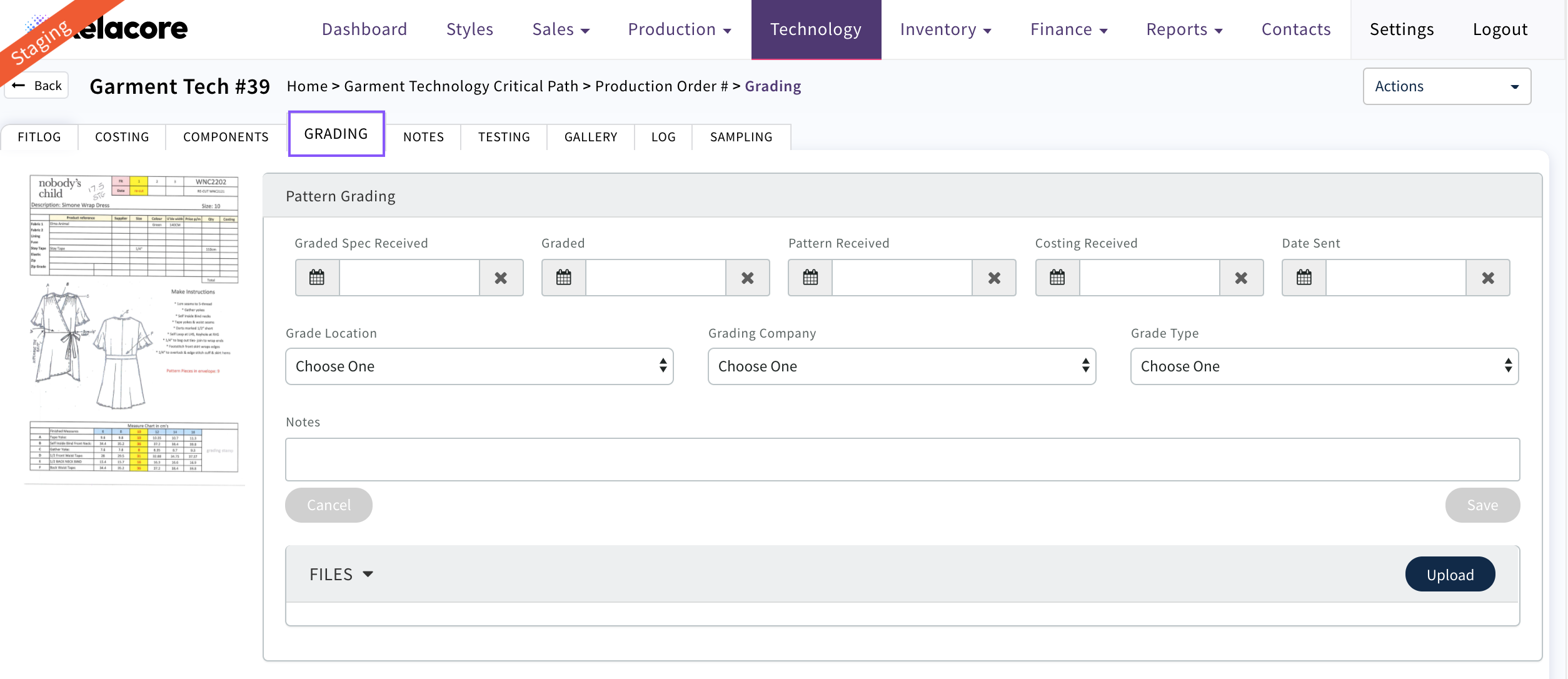
- Files - Upload digital pattern files and lay plans
Component Grading
The component grading area displays the three types of components that require adjustment to meet the garment specification.
- Zip
- Belts
- Trim
Graded component types will appear in this section once they have been added to the garment costing sheet. The sales team control the production costing sheet and ensure that the profit margin is in line with business rules. All component consumption, omissions or substitution changes must be approved by them.
Graded Components need to be completed here in order for the Production team to ensure they order/allocate the correct size component for each garment size
You may need to check the sizes available in the component library for the component on the costing before entering here. If the component size required is not set up in the library then your admin responsible for the component library needs to do this
Zip Grading
If the component grading message states "No zip (or other) component found, refer to your sales team", ensure that the component has been correctly sourced from the component library and appears on the costing sheet with its Id number present and the data fields are greyed.
A correctly sourced component will appear with its description and the sample size set in the Style will be already filled in
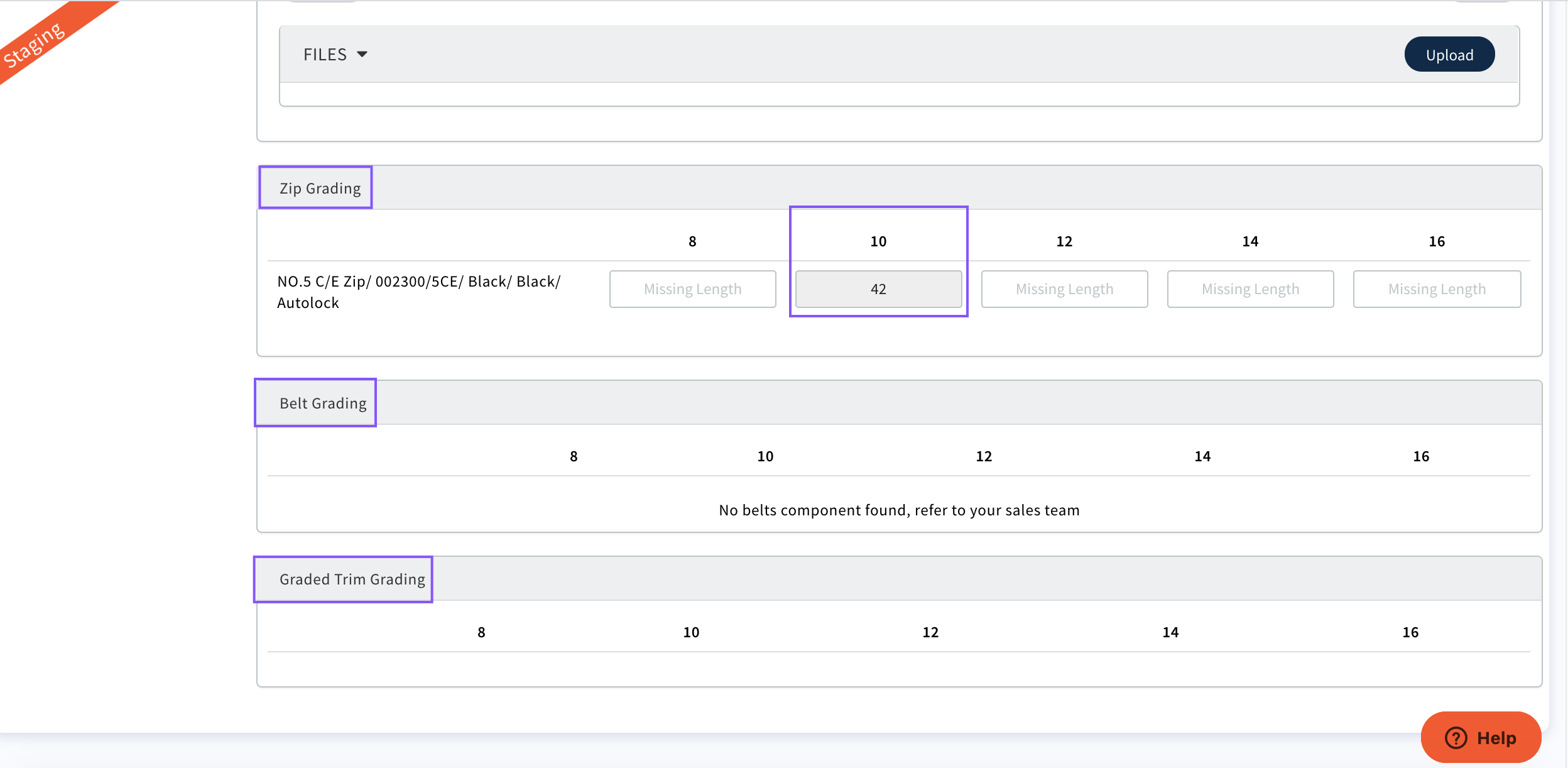

Once completed the production team are then able to order/allocate the correct size component for this Production Order
These sizes will also display on the docket so that the factory know what size graded component needs to be used for each size/colour garment
Belt Grading
Belt components have 2 measurement variables, End to End and End to Centre. Complete both attributes so that your purchasing team can generate a purchase order for the correct sizes.
Graded Trim
Embroideries and beadwork are other types of graded components where one size of trim is used across multiple garment sizes in order to keep the costs within acceptable margins.
0 Comments