When managing the critical path of a Sales and Production Order the status can be crucial to alerting the team of any changes that may require actions e.g. if an order is cancelled by a Client then any components ordered may need to be cancelled with Suppliers if possible.
Sales Order Status
When a Sales Order is created the status is automatically set to;
'New Order'- An official confirmation has been received from a Client to produce goods
The additional status that can be set are;
'On Hold' - The Client may wish to make changes which will impact this Order
'Cancelled' - The Client no longer requires this Order to be made'
'Amended' - the Original Sales Order has been changed. most commonly selling price, quantity or delivery date.
'Completed' - The Sales Order will only change automatically to completed once the Production team have set the production Order to completed (the whole Order has been delivered and received at the Clients so no further action is required
If a Sales Order is set to 'On Hold' or 'Cancelled' and a Production Order has been created then the Production Order status will be automatically changed to 'On Hold' or 'Cancelled' so that actions ca be taken i.e. components cancelled, factory production planning etc.
The status can no longer be updated by the production team unless the Sales Order is taken off 'On Hold' or 'Cancelled' status by the Sales Team
Production Order Status
Once a Production Order has been created it is automatically set to 'New Order'
Once a Production Person is selected the status will automatically change to;
'Components Pending'- Components need to be ordered for this production Order
All other Production Order status are manual so have to be changed by the production team.
There is a high level status for the whole production order and a status at delivery order i.e. you may have several colours and deliveries against this style/order.
High Level Production Order Status
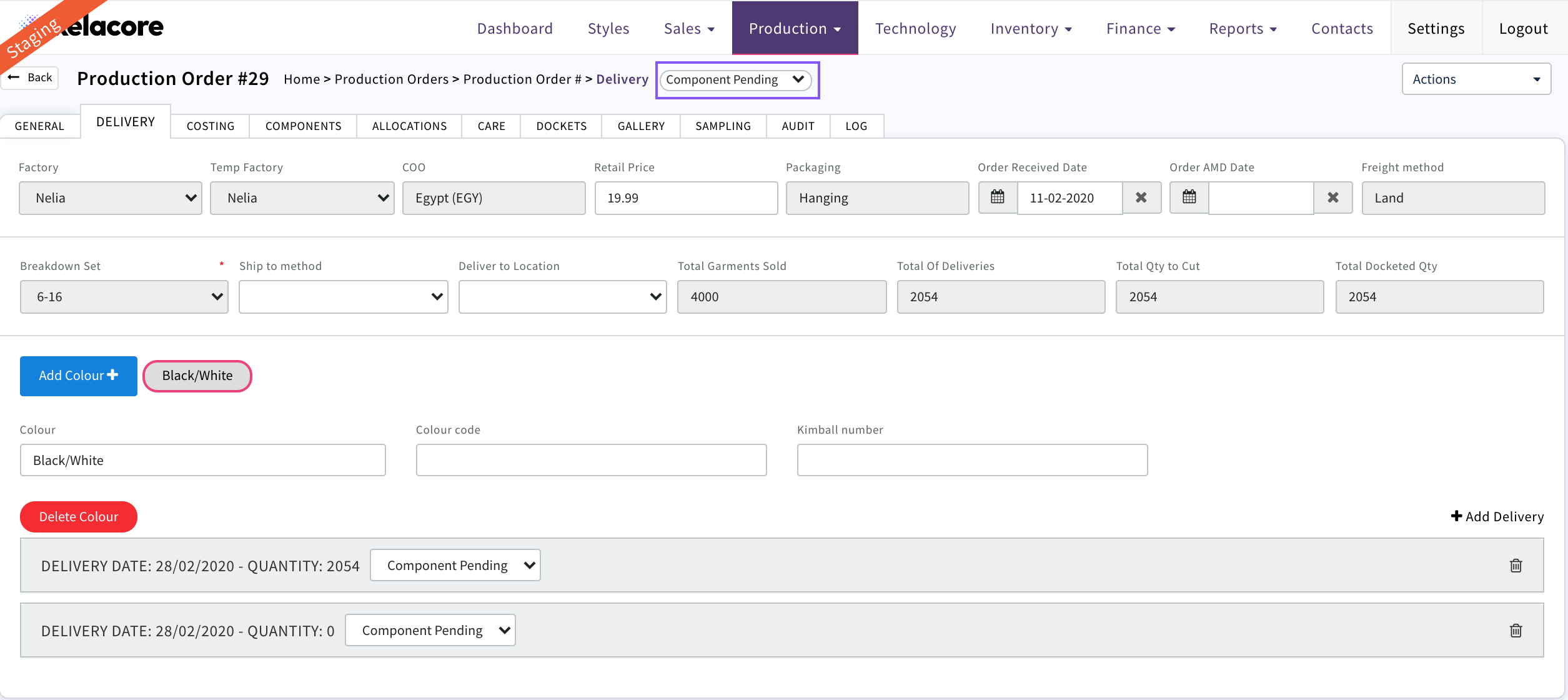
Lower level delivery status

The status may be different at colour or drop level e.g. the Client cancels only one colour or delivery of this Sales/Production Order.
The additional production order status that can be set are;
'Components Allocated'- When all components have been ordered and allocated for this production Order then the status should be changed
'To Docket'- This production order is ready for the docket to be created and sent to the factory
'In Production' -The factory has 'cut' garments and has started production
'On Hold' - This production order or delivery within this production order has been put on hold by Clients e.g. they may wish to make changes which may impact components and production
'Cancelled' - This production order or delivery within the production order has been cancelled by your Clients. Actions may need to be taken to cancel component orders and allocations to make sure that your inventory records are accurate
'Pending Cancellation' -This production order or delivery within the production order has been potentially cancelled and is under review by your Client
'Booked' - This production Order or delivery has been booked in to deliver to Clients
'Delivered' -This production Order or delivery has been delivered to Clients
'Invoice Created' - The Invoices have been created for all of the deliveries in this Production Order
'Audit Pending' - Production is complete for all deliveries and the audit of components is complete e.g. restock of components not used, debit notes created, components that were left have been written off if they are not going to be used on a future production order etc.
'Completed' - The Production Order should be marked as completed once all of the above has been completed and there are no further actions to be taken on this production order by your teams .
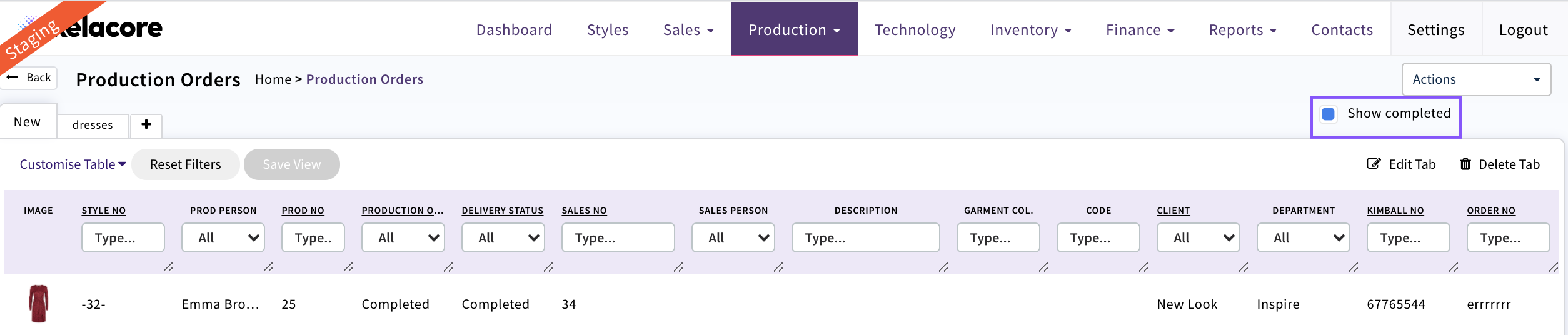
The Sales Order will automatically change to completed as well. In Sales and Production list views they will no longer display unless the 'show completed' icon is selected
0 Comments