Xelacore is configured to work in GBP. However if you need to quote a customer in a different currency you can convert the Selling Price in the costing page.
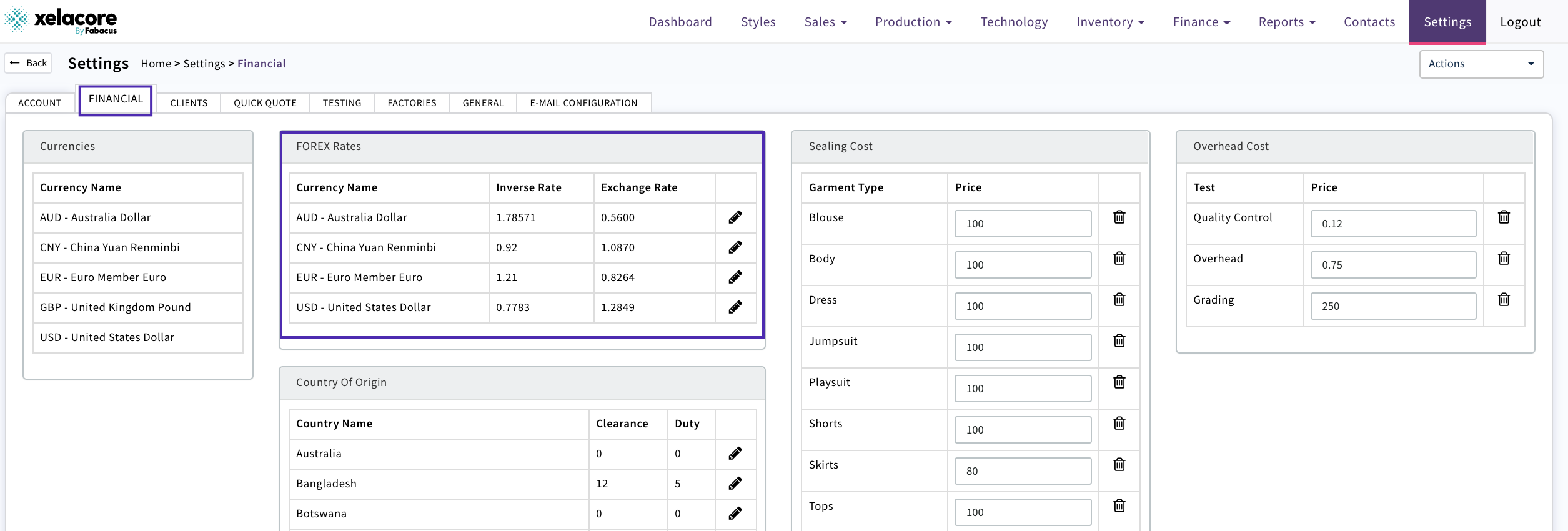
Firstly the currency required needs to be set up in Settings/Financial with the latest inverse exchange rate.
Complete the Costing page of your sales quote to calculate your Selling Price in GBP
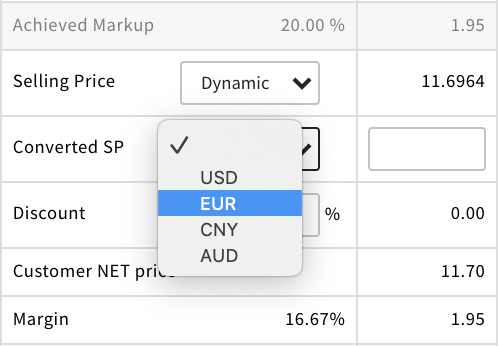
Use the 'Converted SP' to select the currency
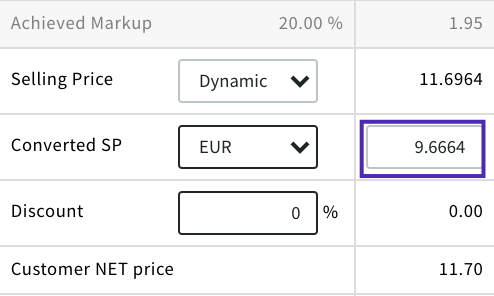
Selling Price will then display in Euro's
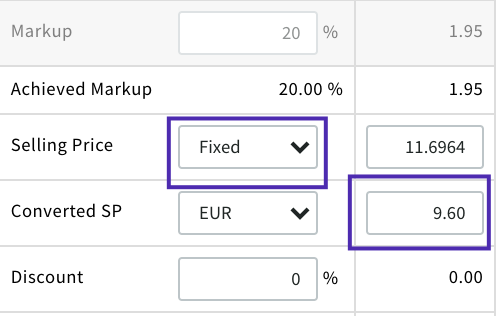
If you want to modify the Price e.g. to round up or down then change the Selling price in GBP to be fixed then the Euro price can be edited as required
Any costings that have been converted will be displayed in the comparator table

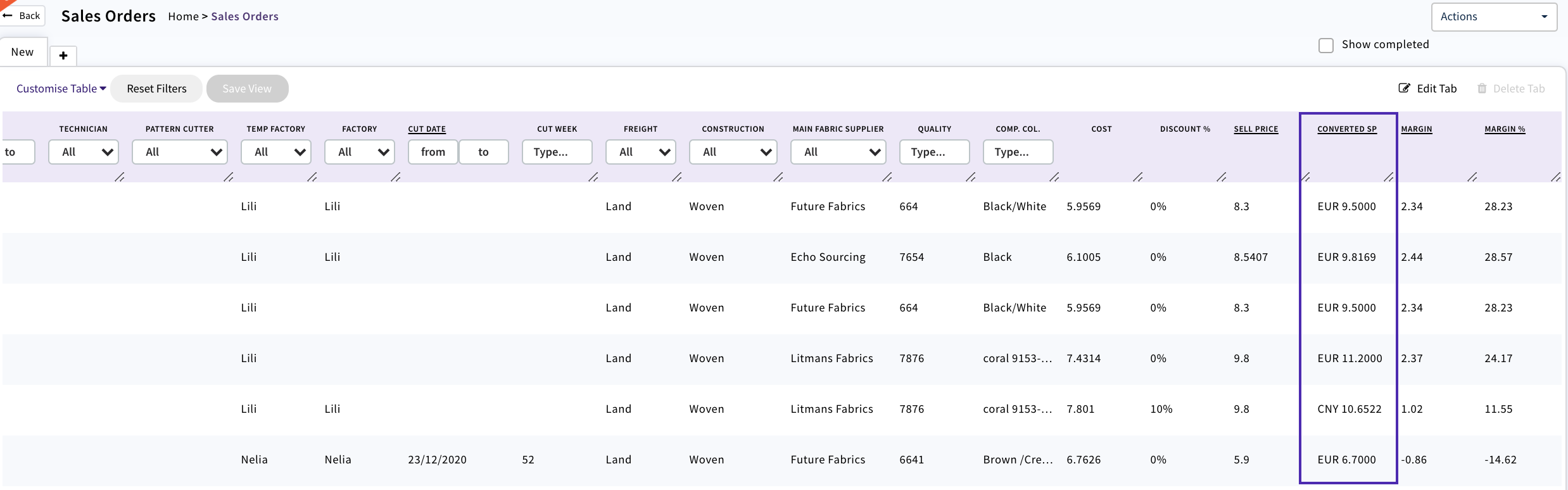
If the quote is then converted into a Sales/ Production Order the Converted SP will display in the list view
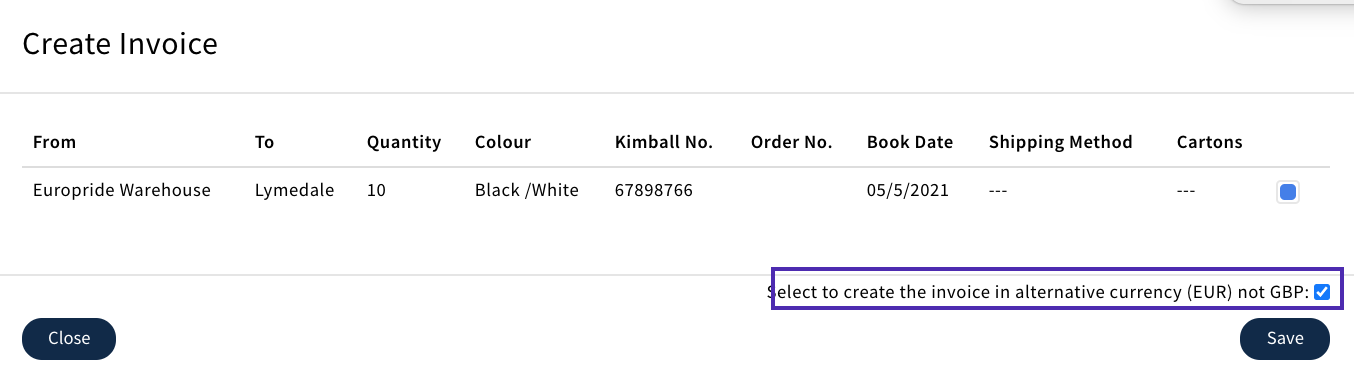
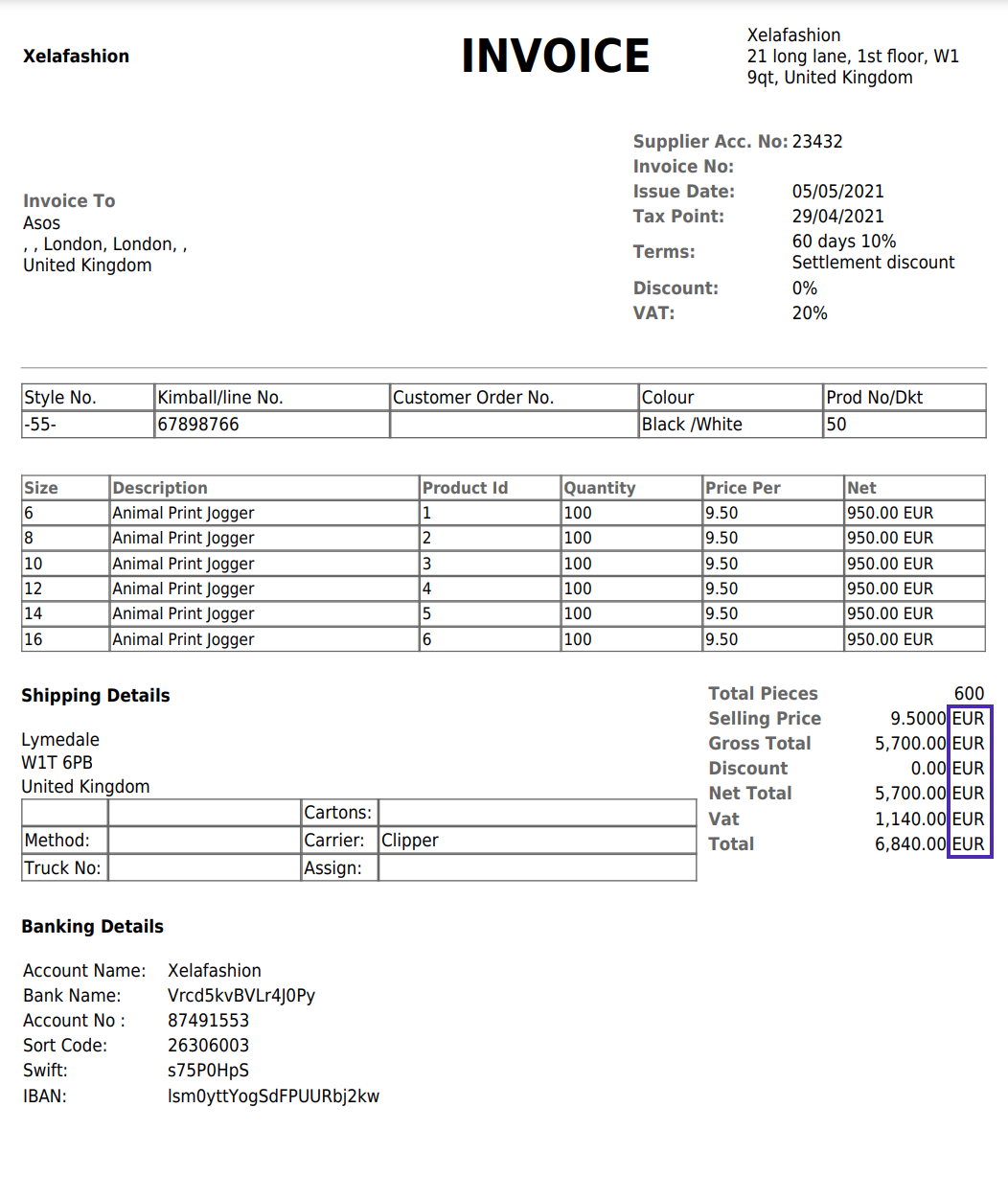
Once the Production Order has been Booked Out in Production Processing then the user is given a choice whether to invoice in GBP or converted currency e.g. Euro's
0 Comments